
Create your Meisa account and start your trial
Sign in at meisa.io with Google or an emailed 6-digit code, add your name and product, then pick a plan and add a card to start the 7-day free trial.
On this page
To create your account, sign in with Google or a 6-digit code sent to your email, tell Meisa your name and your product’s name, then pick a plan and add a card to start your 7-day free trial. You are not charged until the trial ends.
Step 1: Sign in or create your account
There is no password. You sign in the same way every time.
- Go to the Meisa sign-in page from meisa.io.
- Click Continue with Google, or type your email and click Email me a code.
- If you chose email, open the message from Meisa and type the 6-digit code. Meisa signs you in as soon as the sixth digit is in. You can also click Sign in.
- Did not get the code? Wait for the timer, then click Resend code. Typed the wrong address? Click Use a different email.
Step 2: Tell Meisa your name and product
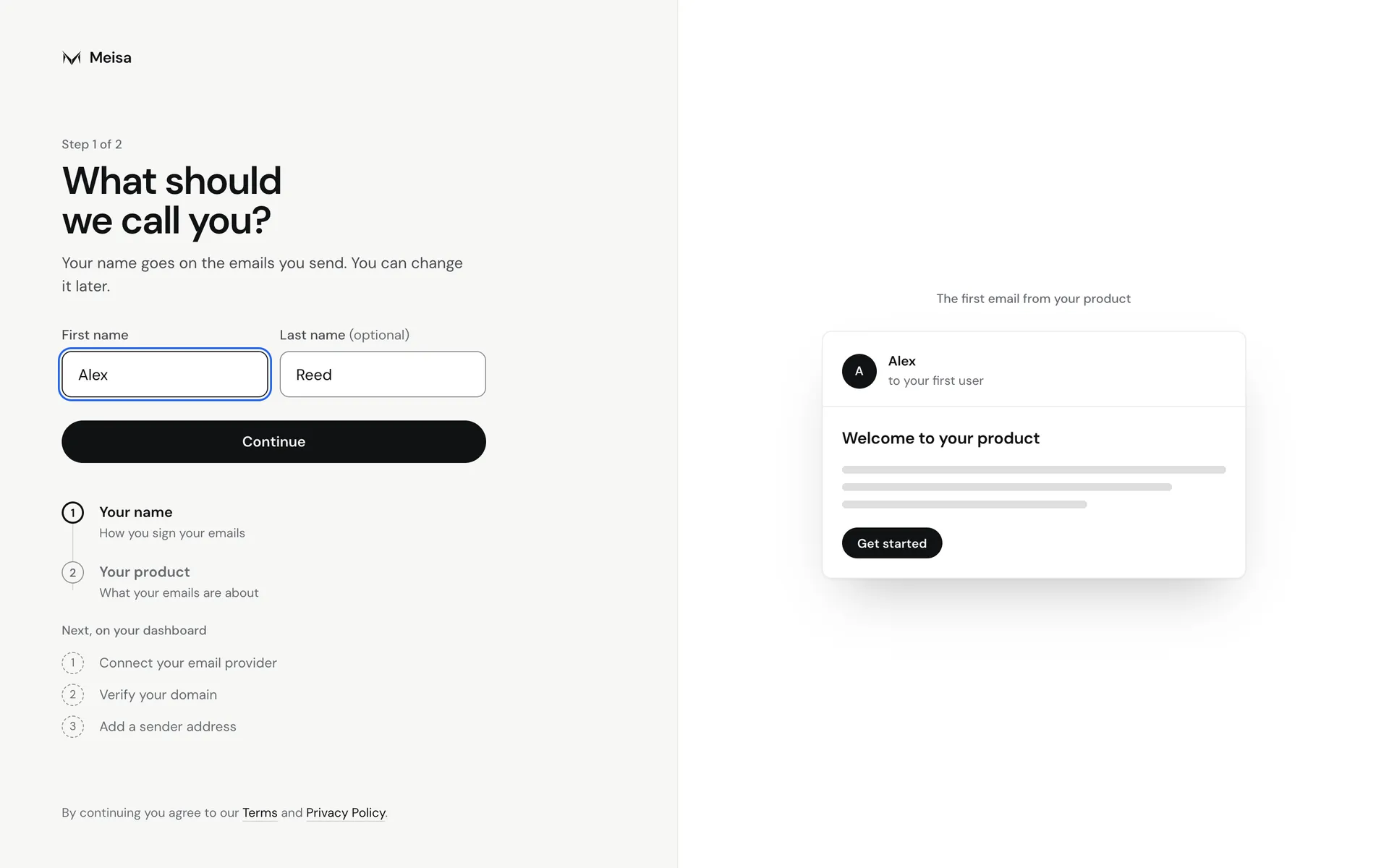
- On What should we call you?, enter your First name (the last name is optional) and click Continue. Your name goes on the emails you send, and you can change it later.
- On What’s your product called?, enter your Product name and click Create my workspace.
Step 3: Start your 7-day free trial
- On Start your 7-day free trial, choose the plan that fits how many contacts you have.
- Click Start 7-day free trial. You go to Stripe’s secure checkout.
- Add your card and confirm. You come back to Meisa and your dashboard opens.
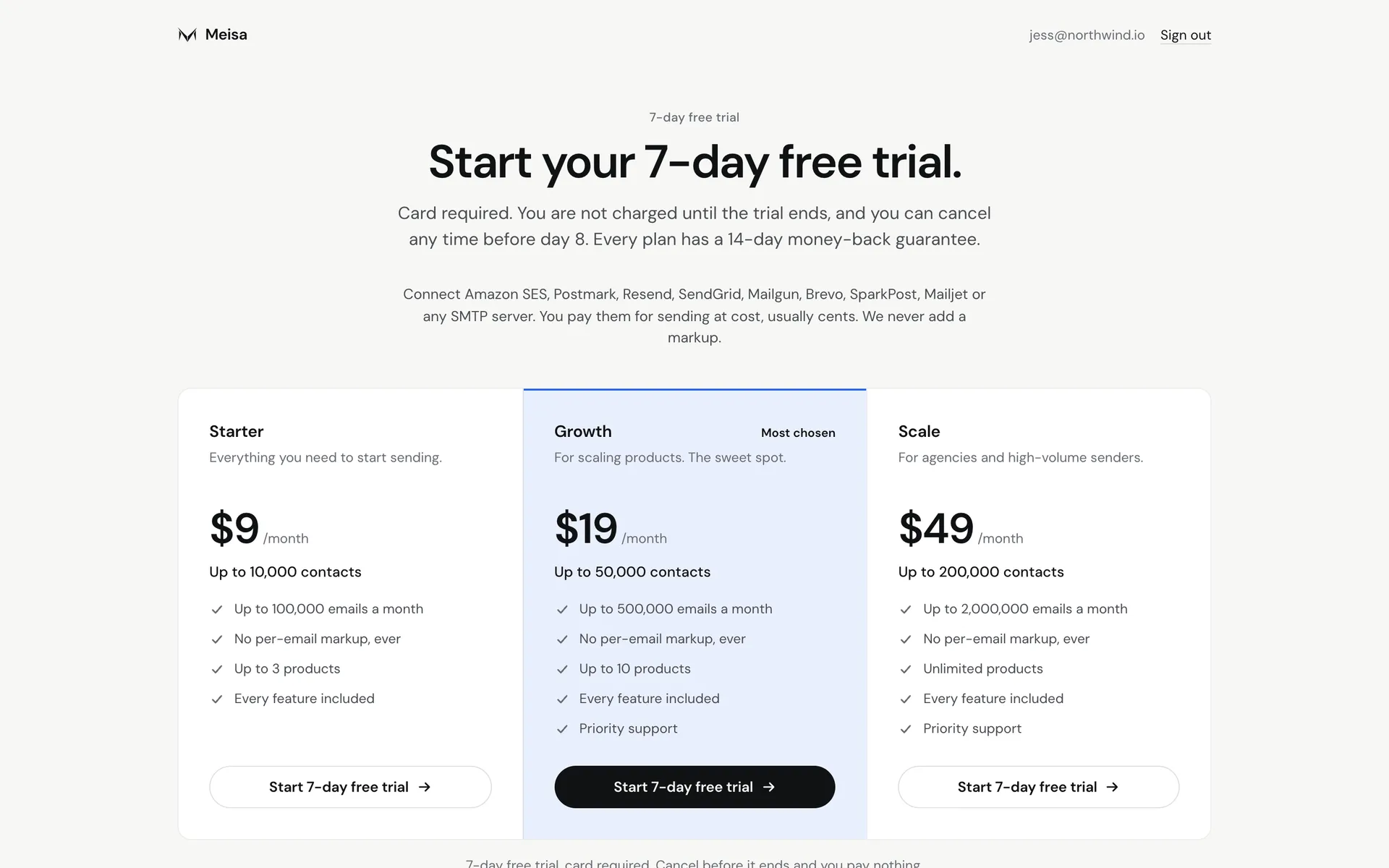 Plans and prices are on meisa.io/pricing.
What the trial includes
- Every feature, for 7 days.
- A card is required. You are not charged until the trial ends, and you can cancel any time before that.
- To prevent abuse, trial accounts have sending and contact limits. The trial screen shows the exact numbers (by default, 100 emails a day, 500 in total, and 250 contacts added). Limits lift as soon as your plan starts.
- Need more right away? Go to Settings, then Plan and billing, and click Start my plan now. Your card is charged that day and the limits lift at once.
- Every plan has a 14-day money-back guarantee.
Until a trial or plan is live, a new account can’t send email, import contacts or create API keys.
Troubleshooting
- The screen says “Pick a plan to keep going.” This email address has already had a free trial, so your plan starts when you subscribe. Each person gets one trial.
- I was invited by a teammate. You only need your name. Open the invite email, sign in with that address, and you join their product. See Invite team members.
- Checkout did not open. Try again, or email [email protected].
Related articles
Did this answer your question?
Thanks for letting us know.Thanks, we will improve this article. Want a hand right now?
Still need help?
Chat with us and get an answer in a few minutes.