
Cancel your subscription
Go to Settings, Plan and billing, click Manage billing and invoices, then cancel in Stripe's portal. Cancellation takes effect at the end of your billing period.
On this page
To cancel, go to Settings, then Plan and billing, click Manage billing and invoices, and cancel your subscription in Stripe’s billing portal. Cancellation takes effect at the end of your current billing period, and you keep access until then.
Cancel your subscription
- Go to Settings, then Plan and billing.
- Click Manage billing and invoices. Stripe’s billing portal opens.
- Click Cancel subscription and confirm.
- Return to Meisa. Your plan stays live until the end of the period you paid for.
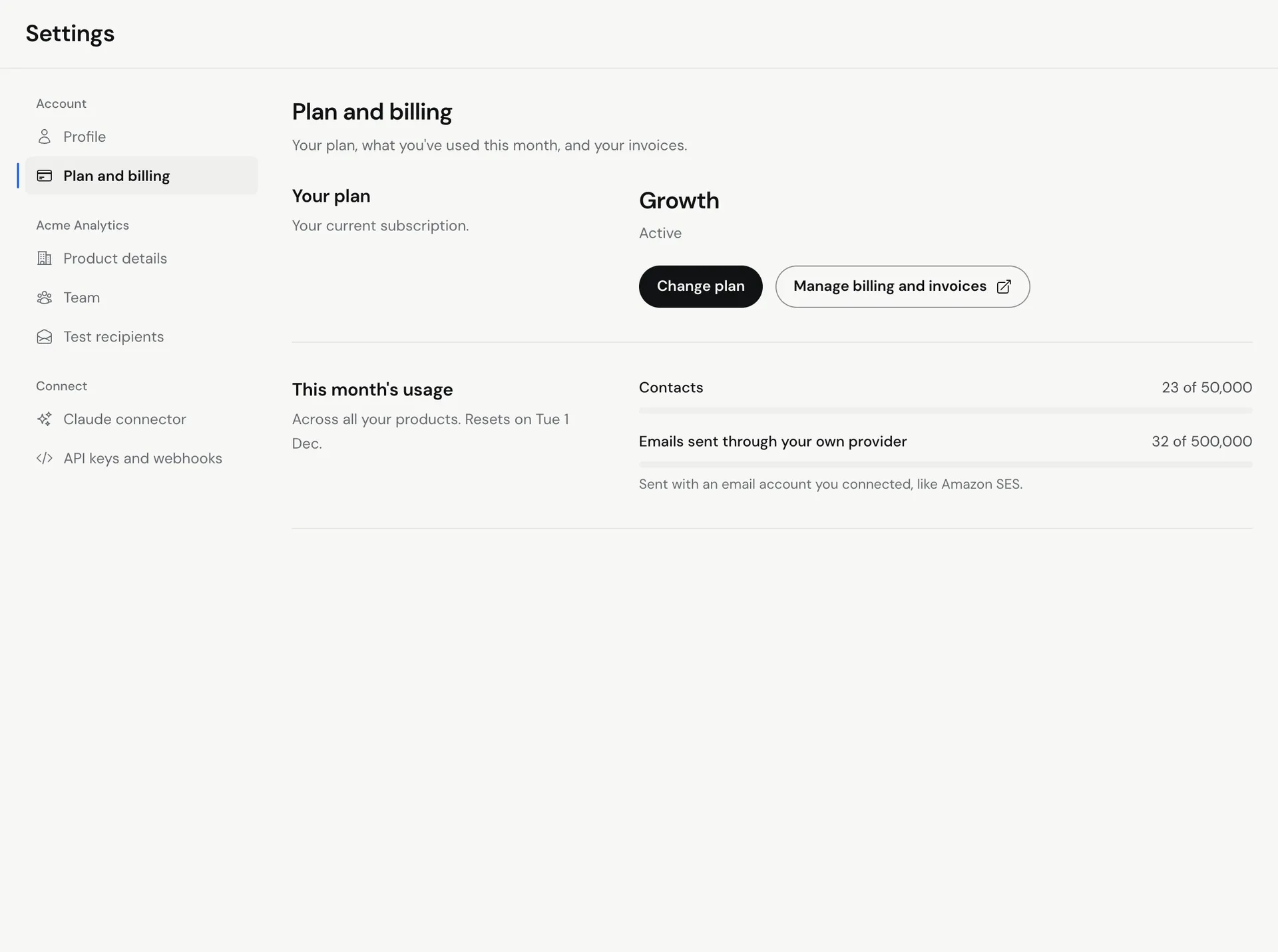 Billing belongs to the account that started the plan, so only that account can cancel it. Teammates you invited can’t cancel it for you.
Cancel during the free trial
If you cancel before your 7-day trial ends, you are not charged. Follow the same steps above. The first charge is only taken when the trial ends.
What happens after you cancel
- You keep full access until the end of your current billing period.
- After that, your account stops sending and goes back to the plan screen until you subscribe again.
- Cancelling does not delete your data. To have your account and data deleted, email [email protected] from the address on your account. See How Meisa protects your data and AWS keys.
- Your email provider account (like Amazon SES) is yours, so nothing changes there. If you no longer want Meisa to use it, you can delete the access keys you created for Meisa in AWS.
Refunds
Every plan has a 14-day money-back guarantee from the start of your subscription. If Meisa is not right for you within 14 days of subscribing, email [email protected] and ask for a refund.
Outside those 14 days, cancellation takes effect at the end of your billing period and partial months are not refunded.
Come back later
To start again, go to Settings, then Plan and billing, and choose a plan. Your products, contacts and templates are still there. Note that each person gets one free trial, so a returning account starts on a paid plan.
Troubleshooting
- I don’t see Manage billing and invoices. You don’t have a subscription on this account. Check you are signed in with the email that started the plan.
- The portal won’t open. Try again in a minute, or email [email protected].
Related articles
Did this answer your question?
Thanks for letting us know.Thanks, we will improve this article. Want a hand right now?
Still need help?
Chat with us and get an answer in a few minutes.