
Manage your plan, card and invoices
Go to Settings, then Plan and billing. Click Manage billing and invoices to update your card, download invoices or cancel in Stripe's secure portal.
On this page
Go to Settings, then Plan and billing to see your plan, trial status and usage. To update your card, download invoices or cancel, click Manage billing and invoices, which opens Stripe’s secure billing portal.
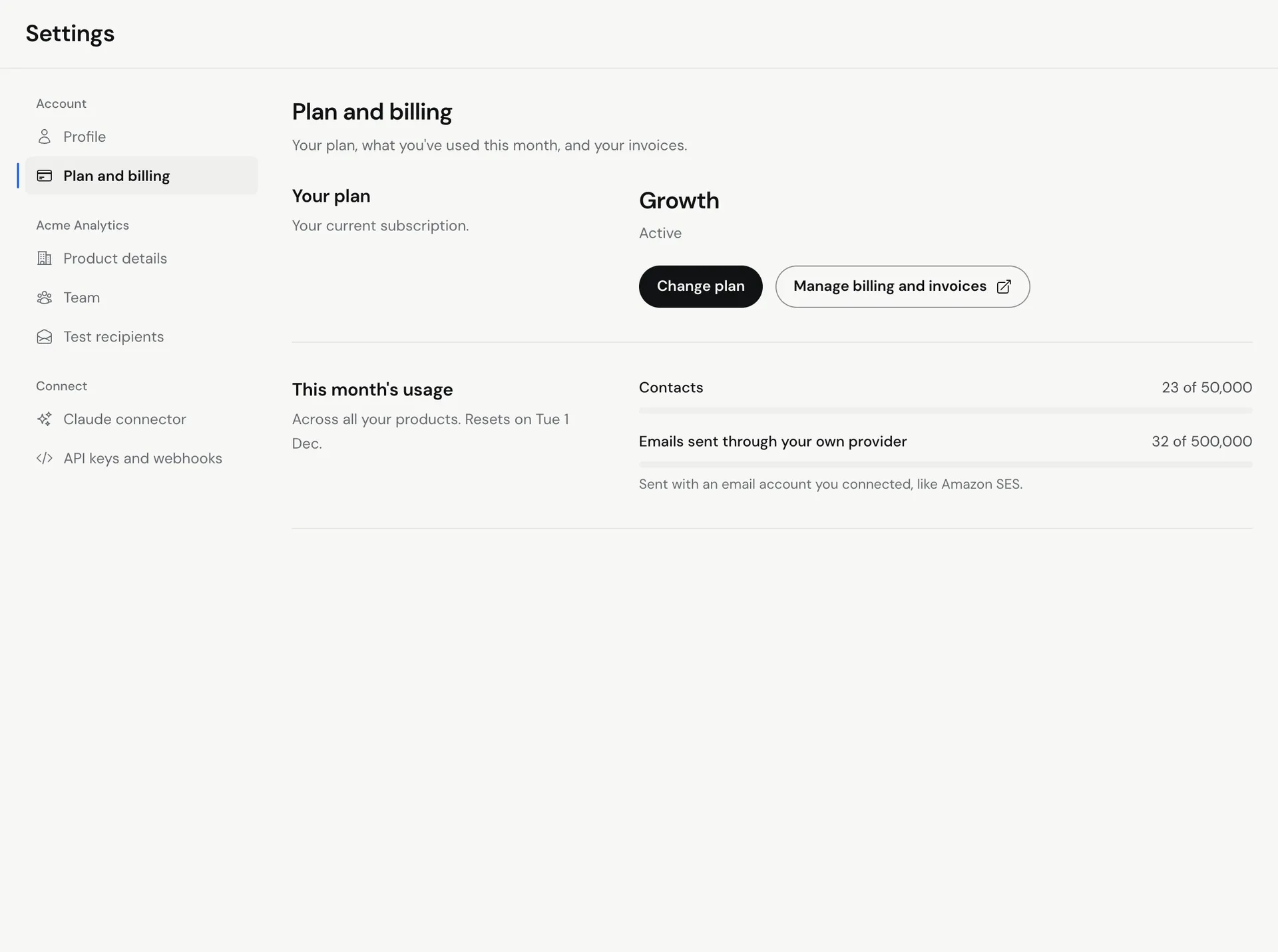
What the Plan and billing page shows
- Your plan: your plan name (Starter, Growth or Scale) and its status, like Active, In trial (with the days left) or Payment overdue.
- Free trial limits: during your trial, how many emails you sent today (UTC), during the trial, and how many contacts you added.
- This month’s usage: contacts and emails sent through your own provider, across all your products, and the date it resets.
Update your card or download invoices
- Go to Settings, then Plan and billing.
- Click Manage billing and invoices. Stripe’s billing portal opens in the same tab.
- Update your payment method, or open and download past invoices.
- Use the link in the portal to return to Meisa.
Meisa never stores your card number. Payments are handled by Stripe.
End your trial early with Start my plan now
During your 7-day trial, sending and contact limits apply. To lift them right away:
- Go to Settings, then Plan and billing.
- Click Start my plan now (or Lift the limits now under Free trial limits).
- Check the amount under Charged today and the Next renewal date.
- Click Start my plan and pay (the button shows the amount). Every trial limit lifts at once.
If your card is declined, nothing is charged and your trial carries on as before.
Change your plan
To move to a different plan, email [email protected] from the address on your account and say which plan you want. Upgrades take effect immediately. Downgrades take effect at the end of the current billing period. Compare plans on meisa.io/pricing.
How billing works
- Plans are billed monthly in advance.
- The 7-day free trial needs a card. The first charge is taken when the trial ends unless you cancel before then.
- Every plan has a 14-day money-back guarantee from the start of your subscription.
- Your contact and sending allowance is shared across all the products you own.
Troubleshooting
- Status says Payment overdue. Your last payment failed. Click Manage billing and invoices and update your card.
- “No subscription to manage yet”. You have not started a trial or plan. Click Start free trial first.
- “We couldn’t open checkout”. Click Try again, or contact [email protected] if it keeps happening.
Related articles
Did this answer your question?
Thanks for letting us know.Thanks, we will improve this article. Want a hand right now?
Still need help?
Chat with us and get an answer in a few minutes.