
Add a contact
Go to Contacts, click Add contact, enter an email address and any name or tags, then click Add contact to save the person.
On this page
To add one person by hand, open Contacts, click Add contact, type their email address, and click Add contact at the bottom of the form. Adding someone never sends them an email: Meisa only emails people when you send something.
Add one person
- In the left menu, click Contacts.
- On the People tab, click Add contact at the top of the page.
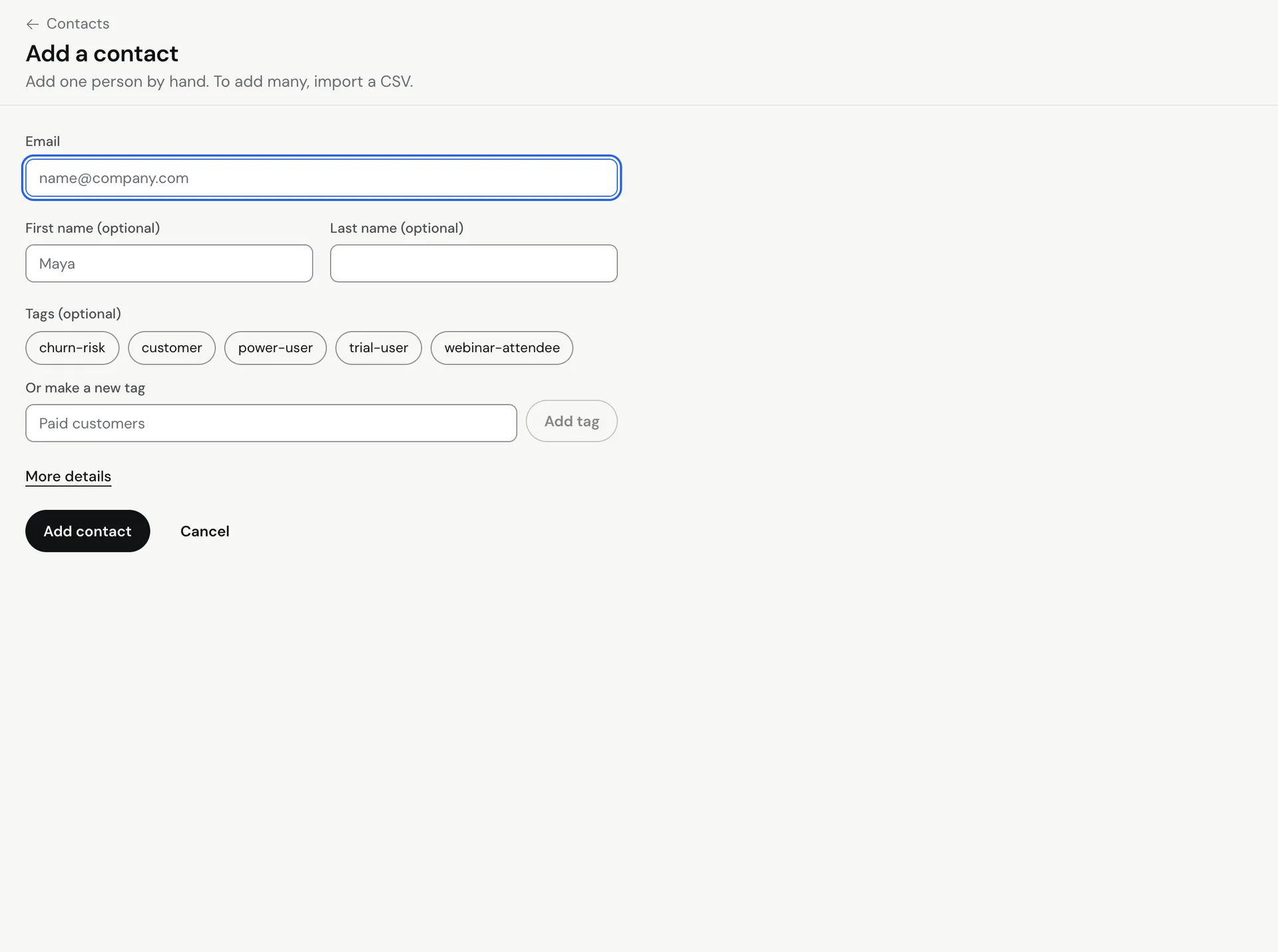
- Enter their address in Email.
- Optional: fill in First name (optional) and Last name (optional). These are used by fields like
{{first_name}}in your emails. - Optional: under Tags (optional), click any existing tag to select it, or type a new one in Or make a new tag and click Add tag. New tags are created when you save.
- Optional: click More details to add:
- Your app’s user ID (optional): the ID this person has in your own app, so events and API calls from your app match the right contact.
- Extra fields: click Add a field, then fill in a Name (for example
plan) and a Value (for examplepro). See Use custom fields and tags.
- Click Add contact.
Meisa saves the person and opens their profile. A message appears with an Add another button if you want to keep going.
What if they are already a contact?
Meisa never overwrites an existing contact from this form. If the address is already in this product, you see “address is already a contact.” with an Open their profile link. Edit their details from the profile instead.
This check also finds people who unsubscribed or bounced, so you cannot accidentally add them back as new subscribers.
Other ways to add people
- Many people at once: use Import contacts with a CSV file. See Import contacts from a CSV file.
- From your app: send contacts and events through the API. See Send events and contacts from your app.
- From a signup page: people who confirm on your newsletter page are added for you. See Publish a newsletter with a public signup page.
Contacts belong to the product (workspace) you are in. If you run several apps, switch to the right product first.
Troubleshooting
- “That does not look like an email address.” Check for spaces or a missing domain, like
[email protected]. - “Could not add this contact.” Try again. If you are on the free trial and have reached its contact limit, start your plan to add more. See Manage your plan, card and invoices.
Related articles
Did this answer your question?
Thanks for letting us know.Thanks, we will improve this article. Want a hand right now?
Still need help?
Chat with us and get an answer in a few minutes.